
Download Asunsoft Windows 7 Password Reset – Secure & Fast Password Recovery Tool for Windows 7
Asunsoft Windows 7 Password Reset is a powerful and reliable software designed to help users regain access to their locked Windows 7 systems when they forget their passwords. Whether you're using Windows 7 Home, Professional, or Ultimate, this tool supports all editions and both 32-bit (x86) and 64-bit (x64) architectures. With its simple yet effective approach, the software allows you to reset or remove passwords without losing any data, making it an essential tool for both home users and IT professionals. The application creates a bootable USB or CD/DVD, which you can use on any Windows 7 machine, even if it's completely locked. It’s especially useful in scenarios where you need to recover access to a system without compromising sensitive files. The software is secure, lightweight, and efficient, offering a straightforward recovery process that doesn’t require technical expertise. You can even create a new administrator account during the reset process, ensuring long-term access. Despite minor UI inconsistencies and occasional spelling errors like “Widnows,” the core functionality remains robust and dependable.
Why You Need Asunsoft Windows 7 Password Reset for Your Locked System
Forgetting a password is one of the most frustrating experiences when working with a Windows 7 system. Once locked out, you might fear permanent data loss—especially if your computer contains personal photos, financial records, or business documents. Asunsoft Windows 7 Password Reset eliminates that fear by providing a secure, non-destructive way to regain access. Unlike risky workarounds that involve system reinstallation or data wiping, this software resets the password without altering your files, settings, or installed programs. The tool is particularly valuable in enterprise environments where IT administrators need to recover access to employee machines quickly. It also benefits individuals who use their computers for personal use but aren’t tech-savvy enough to handle complex recovery methods.
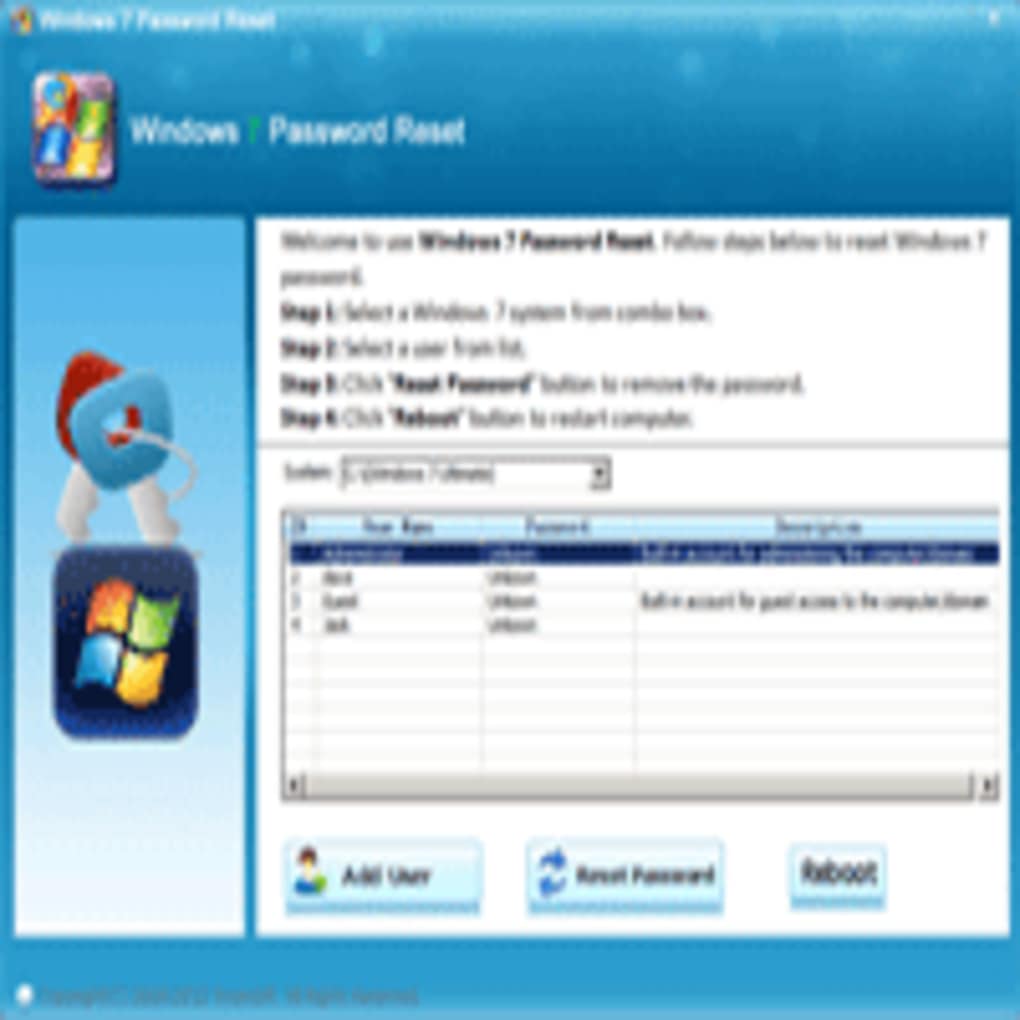
What sets this software apart is its compatibility. It works seamlessly across all versions of Windows 7, including Starter, Home Basic, Home Premium, Professional, Enterprise, and Ultimate. Whether you're dealing with a Dell desktop, HP laptop, or custom-built PC, the tool performs consistently. The process is straightforward: you’ll need a working computer to create a bootable USB or CD/DVD using the software, then boot the locked machine from that media. Once the recovery environment loads, you can select the target user account and reset the password in seconds. The interface is minimal but functional—despite some minor typos in labels, it remains intuitive and user-friendly. It’s ideal for users who need a quick fix without diving into command-line tools or third-party utilities.
Security is a top priority. The software doesn’t store or transmit any passwords. Everything happens locally on your system, ensuring your data remains private. There are no ads, no bundled software, and no tracking—just a clean, focused tool built for one purpose: password recovery. For users who value both efficiency and privacy, Asunsoft Windows 7 Password Reset delivers exactly what it promises.
Step-by-Step Guide: How to Use Asunsoft Windows 7 Password Reset
Using Asunsoft Windows 7 Password Reset is a simple process, but it requires a few preparatory steps. First, download the software from the official website and install it on a working computer. This machine must be running a compatible OS such as Windows 10, Windows 8.1, or Windows 7 itself. Once installed, launch the application and insert a blank USB drive (minimum 4GB) or a CD/DVD. The software will guide you through creating a bootable recovery media. During this process, it formats the drive and copies all necessary files, ensuring it can boot on any Windows 7 system.
After the media is ready, shut down the locked computer and insert the USB or CD/DVD. Power it on and enter the BIOS/UEFI settings (usually by pressing F2, F12, or Del during startup) to change the boot order so the system boots from the external media. Save the changes and exit. The computer will now load the Asunsoft recovery environment. You’ll see a list of installed Windows 7 accounts. Select the one you want to reset and choose the action—either reset the password or remove it entirely. You can also create a new administrator account if needed. Confirm your selection, and the tool will apply the changes instantly. Once complete, remove the media, reboot the system, and log in with your new password (or without one, if removed).
It’s important to note that this process is non-destructive. Your files, applications, and system settings remain untouched. The only change is the password state. The entire process takes less than 10 minutes, making it one of the fastest and most reliable solutions available. For added convenience, the software allows you to save the recovery media settings for future use, so you don’t have to recreate it every time. This makes it ideal for IT departments managing multiple machines.
Compatibility, Features, and System Requirements
Asunsoft Windows 7 Password Reset is designed to work with all editions of Windows 7, including x86 (32-bit) and x64 (64-bit) systems. It supports both traditional BIOS and UEFI-based boot environments, ensuring broad compatibility across older and newer hardware. The software is available for download on Windows 10, Windows 8.1, Windows 7, and even Windows Server editions, giving you flexibility in how and where you create the bootable media.
Key features include:
- Reset or remove Windows 7 user passwords instantly
- Create a new administrator account without logging in
- Support for all Windows 7 editions (Home, Pro, Enterprise, Ultimate)
- Bootable USB and CD/DVD creation for any locked machine
- Non-destructive recovery – no data loss
- No internet connection required after setup
- Lightweight and fast execution
System requirements are minimal: a working PC with a USB port or CD/DVD drive, at least 4GB of free space on the USB drive, and a Windows-compatible operating system. The software is lightweight and doesn’t consume significant system resources during creation or execution. It’s also compatible with both HDD and SSD drives, ensuring it works on a wide range of devices.
Pros and Cons of Asunsoft Windows 7 Password Reset
Pros
- Fast and reliable password recovery without data loss
- Works with all Windows 7 versions and architectures
- Simple, step-by-step process even for beginners
- Secure – no data transmission or tracking
- Creates bootable media for repeated use
Cons
- Minor UI inconsistencies and spelling errors (e.g., “Widnows”)
- Limited to Windows 7 systems (not for Windows 8/10/11)
- Requires a second working computer to create bootable media
Frequently Asked Questions (FAQ)
Can I use Asunsoft Windows 7 Password Reset on Windows 10 or 11?
No, this tool is specifically designed for Windows 7 systems only. It does not support Windows 8, 10, or 11. For newer versions, you’ll need a different password recovery tool.
Is my data safe when using this software?
Yes, Asunsoft Windows 7 Password Reset is non-destructive. It only modifies the password database, leaving your files, programs, and system settings intact.
Do I need an internet connection to use the tool?
No, the software doesn’t require an internet connection once the bootable media is created. Everything happens locally on the target machine.
Can I reset multiple passwords with one media?
Yes, the bootable media can be used to reset passwords for multiple user accounts on different Windows 7 machines.
How long does the recovery process take?
The entire process typically takes less than 10 minutes, from booting the system to resetting the password and logging in.
Final Verdict: A Must-Have Tool for Windows 7 Users
If you’re locked out of your Windows 7 system and need a fast, secure, and reliable solution, Asunsoft Windows 7 Password Reset is one of the best tools available. Despite its modest interface and minor spelling issues, it delivers on its promise: instant password recovery without data loss. It’s perfect for individuals, small businesses, and IT professionals who need a no-fuss way to regain access. The ability to create bootable media and use it across multiple devices makes it highly versatile. While it’s limited to Windows 7, that’s exactly what makes it ideal for users still relying on this legacy OS.
For anyone seeking a trusted, easy-to-use, and effective password recovery tool, downloading Asunsoft Windows 7 Password Reset is a smart move. It’s free to try, secure, and backed by a proven track record. Don’t let a forgotten password lock you out—get back in control today.
Download Asunsoft Windows 7 Password Reset now and secure your access to Windows 7 with confidence.







